sutoL123 The keyboard spreadsheet. Now on the Mac.
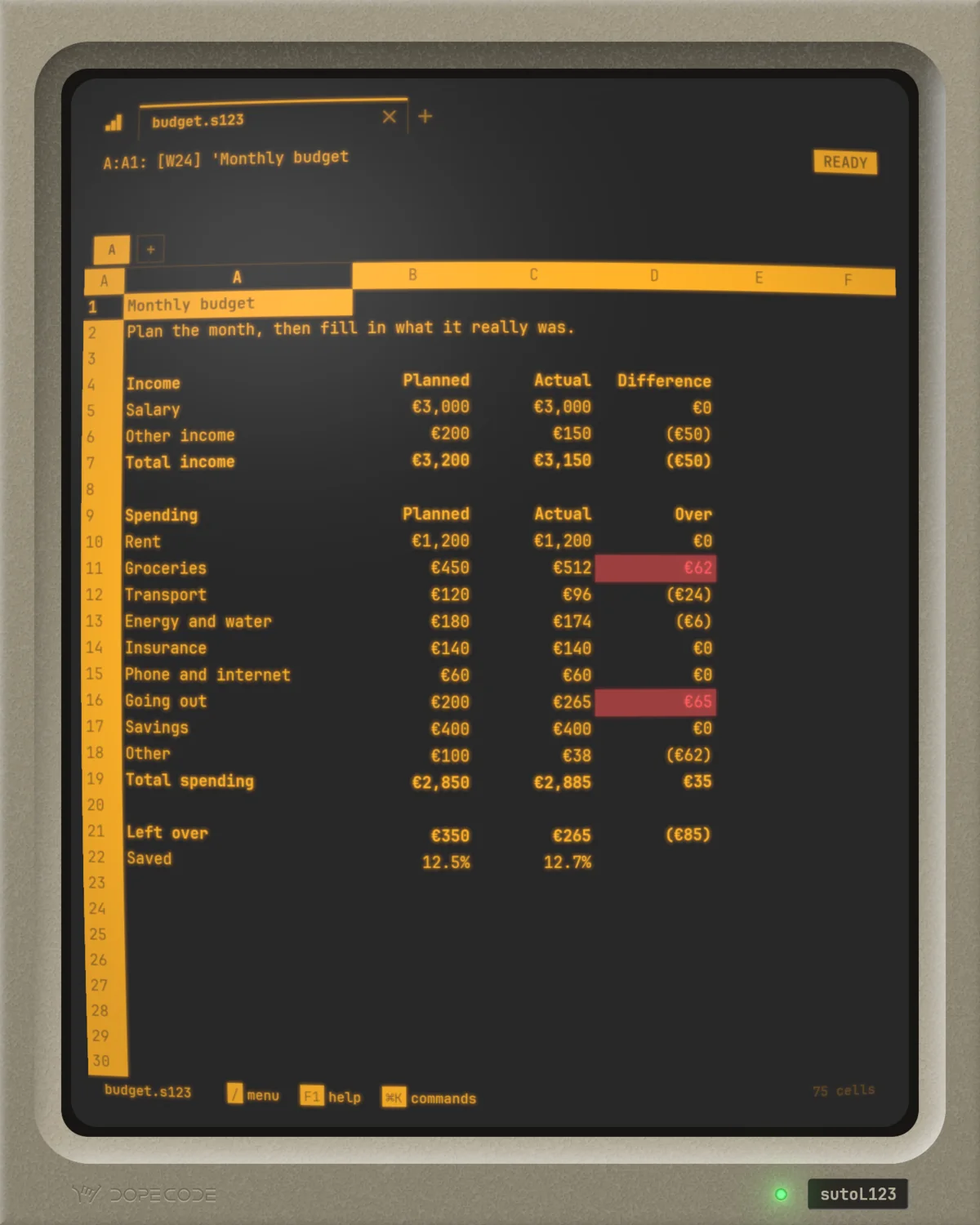
The spreadsheet you drove from the keyboard, rebuilt from scratch:
the control panel on top, A:B10: (C0) [W12] 1200, the slash menu
that answers to a word's first letter, the function keys, ranges named first and
macros made of keystrokes. Native on the Mac, with Excel's formulas and
.xlsx in and out.

 for Mac · macOS 15+ · Apple silicon
PRICE_USD on the Mac App Store·no accounts
No emulation — 100% native Everything from the keyboard .xlsx in and out Files you can read No accounts Zero data collection No internet needed
Why bring it back?
Because it got the important things right. Everything was one keystroke
away: / opened the menu, a word's first letter chose it, and
/RFC2 and Enter put a range in currency with two places before a mouse
could have found the toolbar. Prompts were answered by pointing with the arrow keys.
Ranges had names, so formulas read like what they meant: @SUM(SALES).
Macros were what you would have typed, kept in cells. Whole businesses ran on it, and
the keystrokes outlived the machines they were typed on.
It didn't lose to a better spreadsheet. When Windows arrived, the classic came late, the spreadsheet built for the mouse took the desk, and the slash menu lived on only as a compatibility setting in its rival's options.
sutoL123 rebuilds that machine from scratch: not an emulator, not a
theme, but a native Mac application drawn on the GPU, where the slash menu, the
function keys, the prompts and the macros behave as they did. And because the world
now trades in Excel workbooks, Excel's formulas work after =, with 500
functions from XLOOKUP to LET, its tables and its pivot
tables, and .xlsx goes in and comes out. The workbook someone sends you
opens, and goes back.
And if you never used the original, you don't have to learn it first.
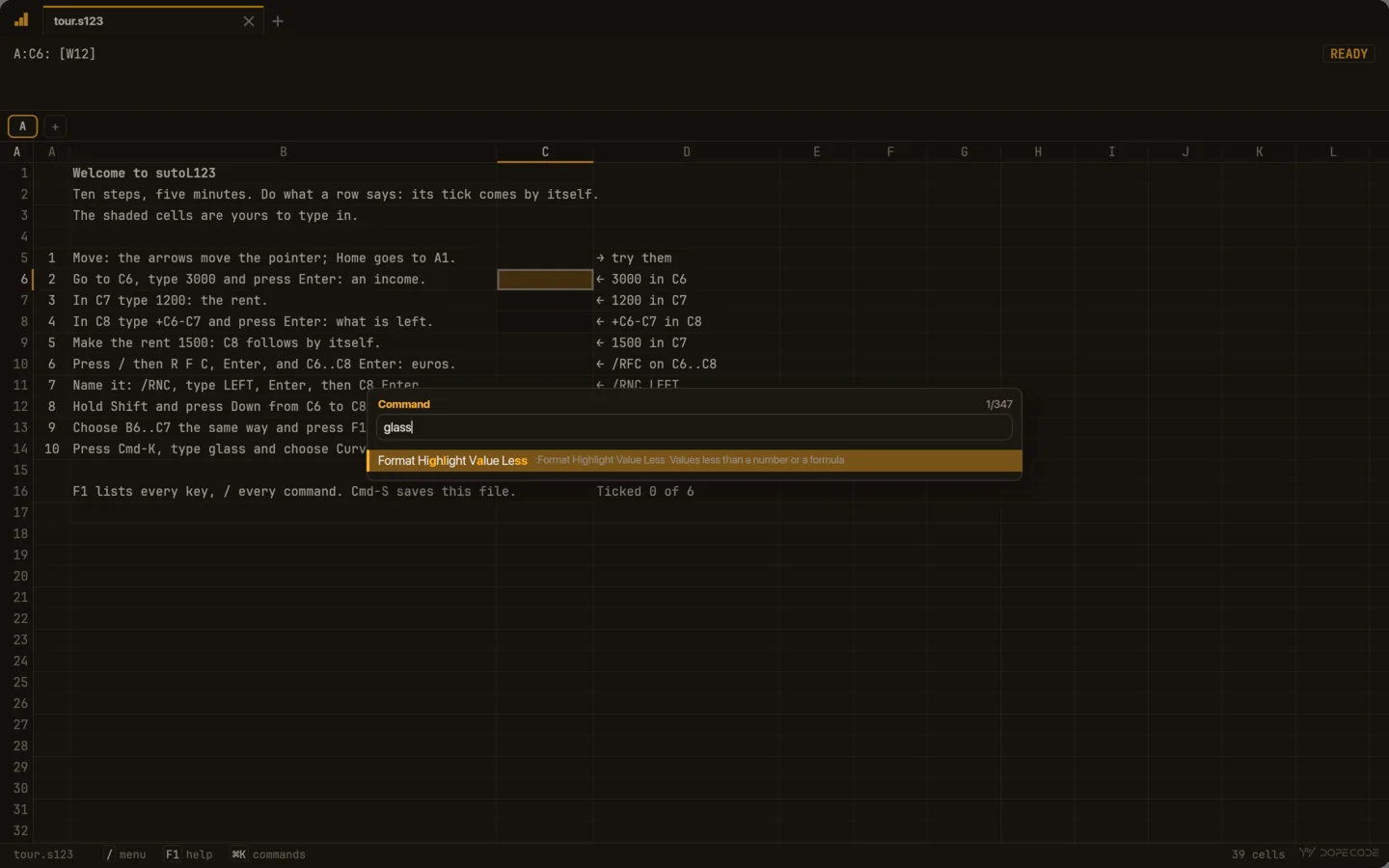
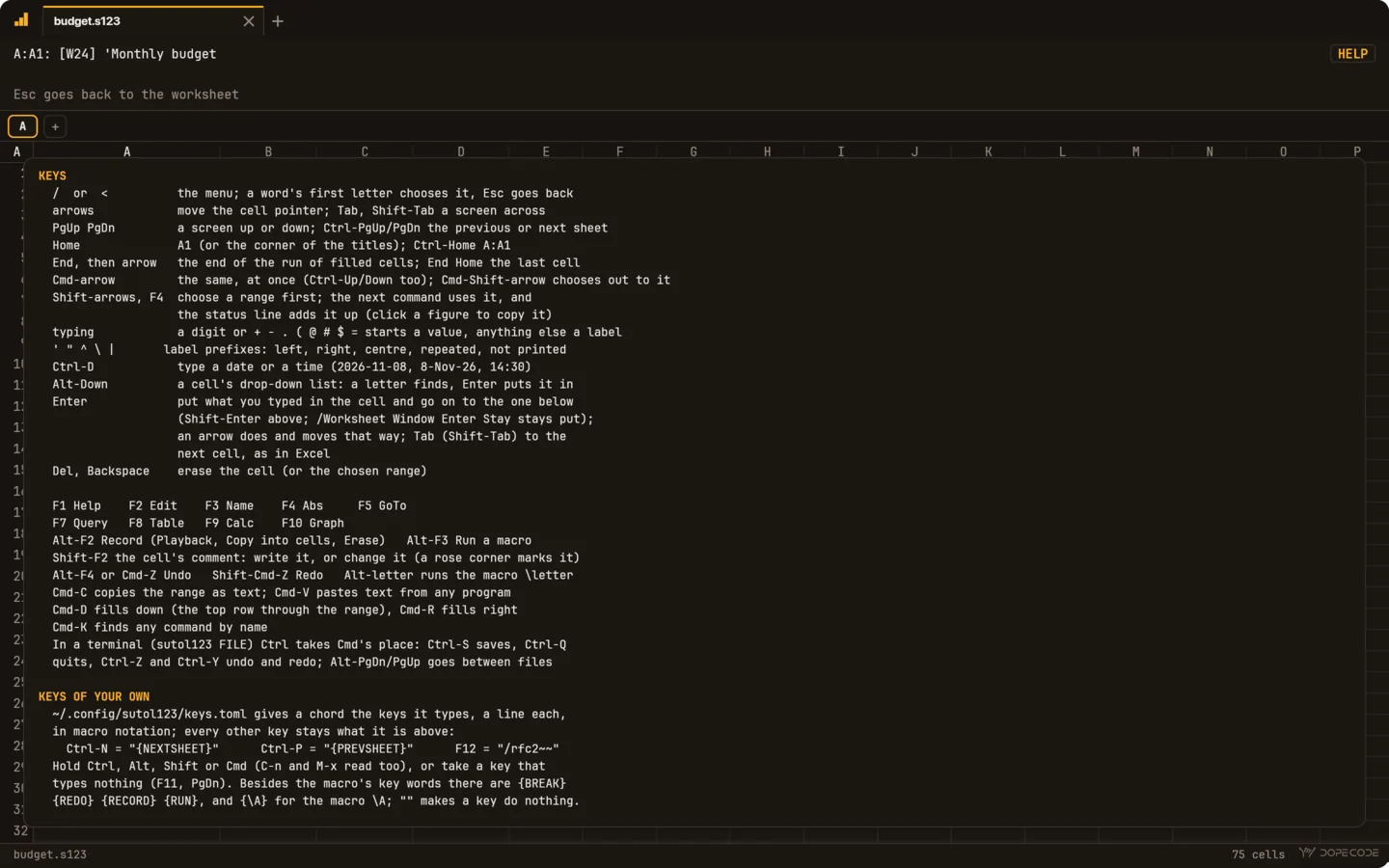
⌘K finds any command by name, F1 shows every key, and the control
panel's third line says what the highlighted menu word does before you choose it.
Then one day you catch yourself typing /RFC2 without looking.
What you get
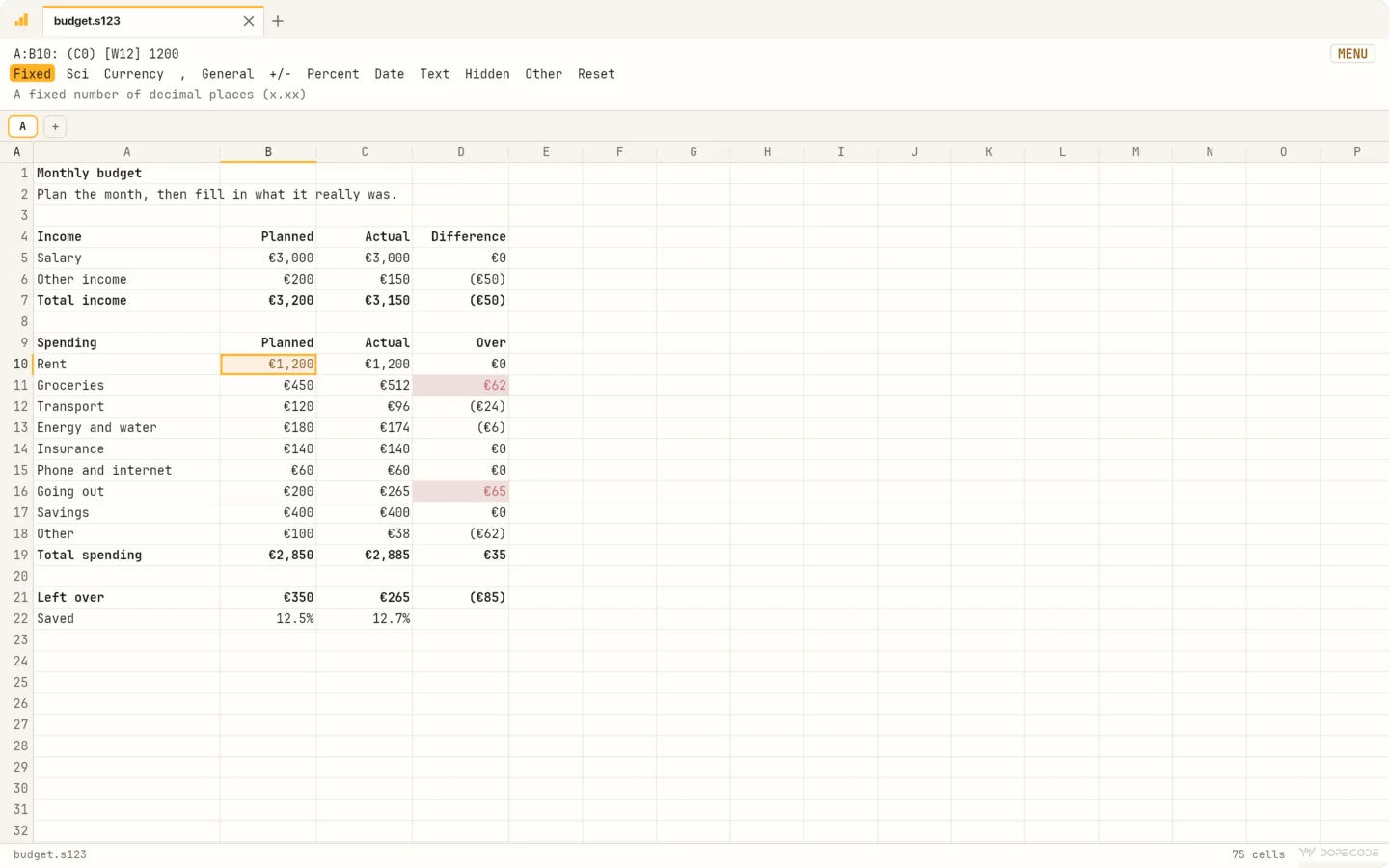
/The slash menu
Worksheet, Range, Copy, Move, File, Print, Graph, Data, Add-In, Quit on the
control panel's second line, what the highlighted word does on the third. A
word's first letter chooses it: /RFC2 and Enter is Range, Format,
Currency, 2 places.
F3Range names first
@SUM(SALES) reads. F3 lists the names while you write a formula,
/Range Name Labels names cells after the labels beside them, and a column's name
gives the value in the formula's own row: +PRICE*UNITS.
Alt-F2Macros are keystrokes
What you would type, kept in cells: /rfc2~~. Name a range
\A and Alt-A runs it; {LET}, {IF},
{FOR}, {GETLABEL} and the rest are there. Alt-F2 records
your keys straight into cells.
=Two dialects, one file
@-functions keep their classic meaning. After =,
formulas are Excel's, with 500 functions, XLOOKUP to
LET, and Excel's tables: Sales[@Amount]. Side by side
in one sheet.
Ctrl-PgDnSheets in three dimensions
@SUM(A:B5..C:B5) adds through three sheets, shown as tabs on top of
the page. Ctrl-PgUp and Ctrl-PgDn go from one to the next.
F10The graph, beside the sheet
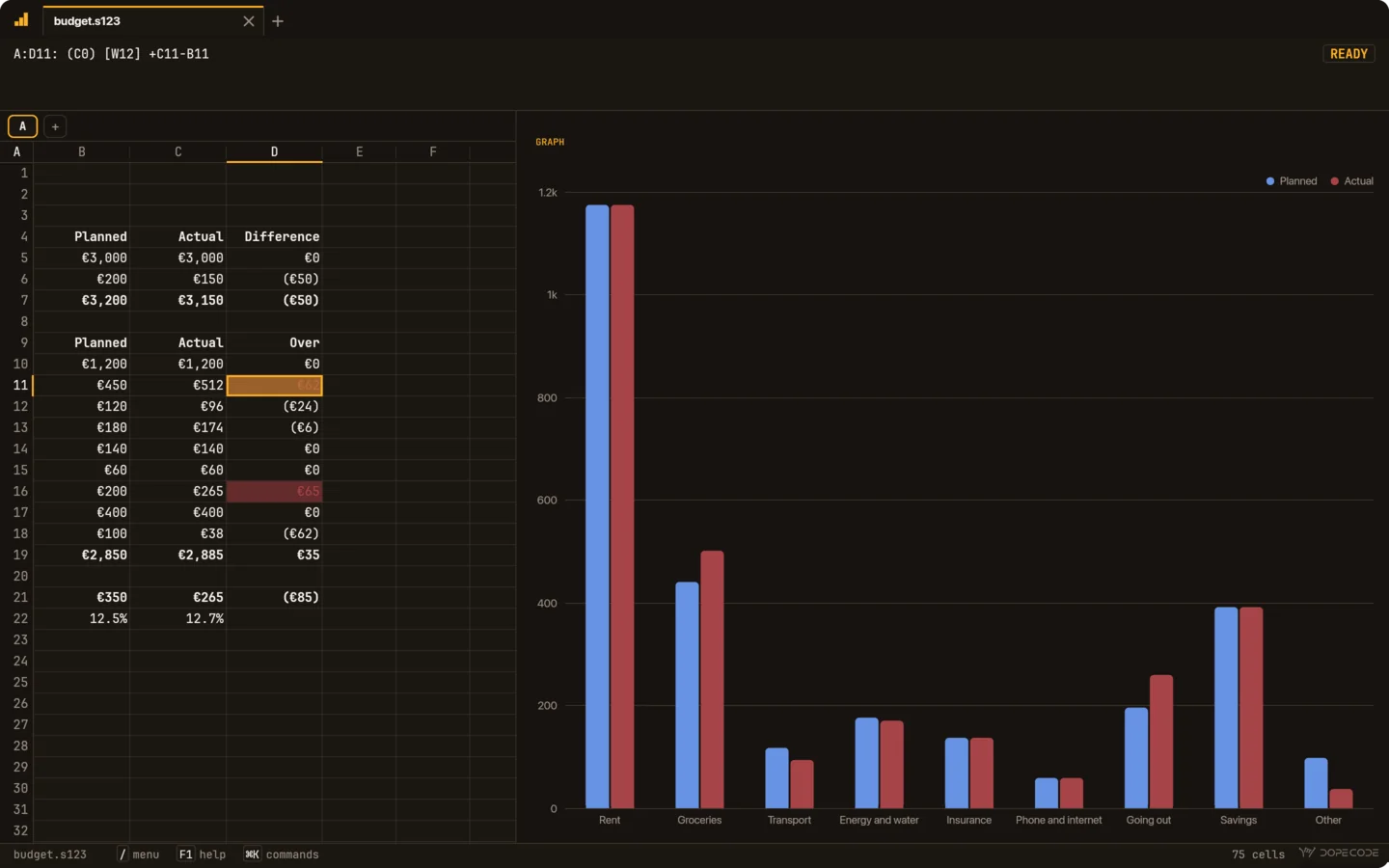
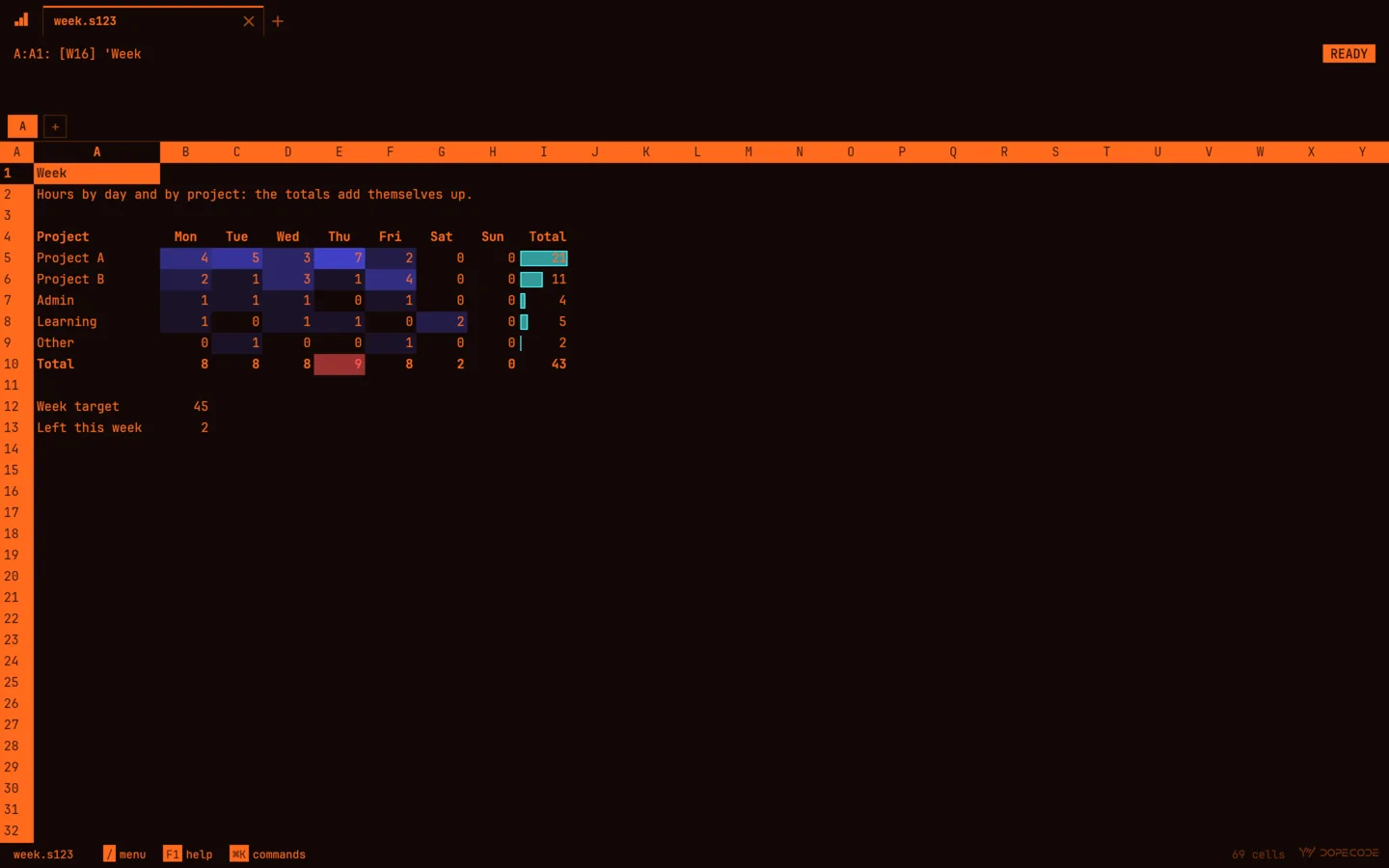
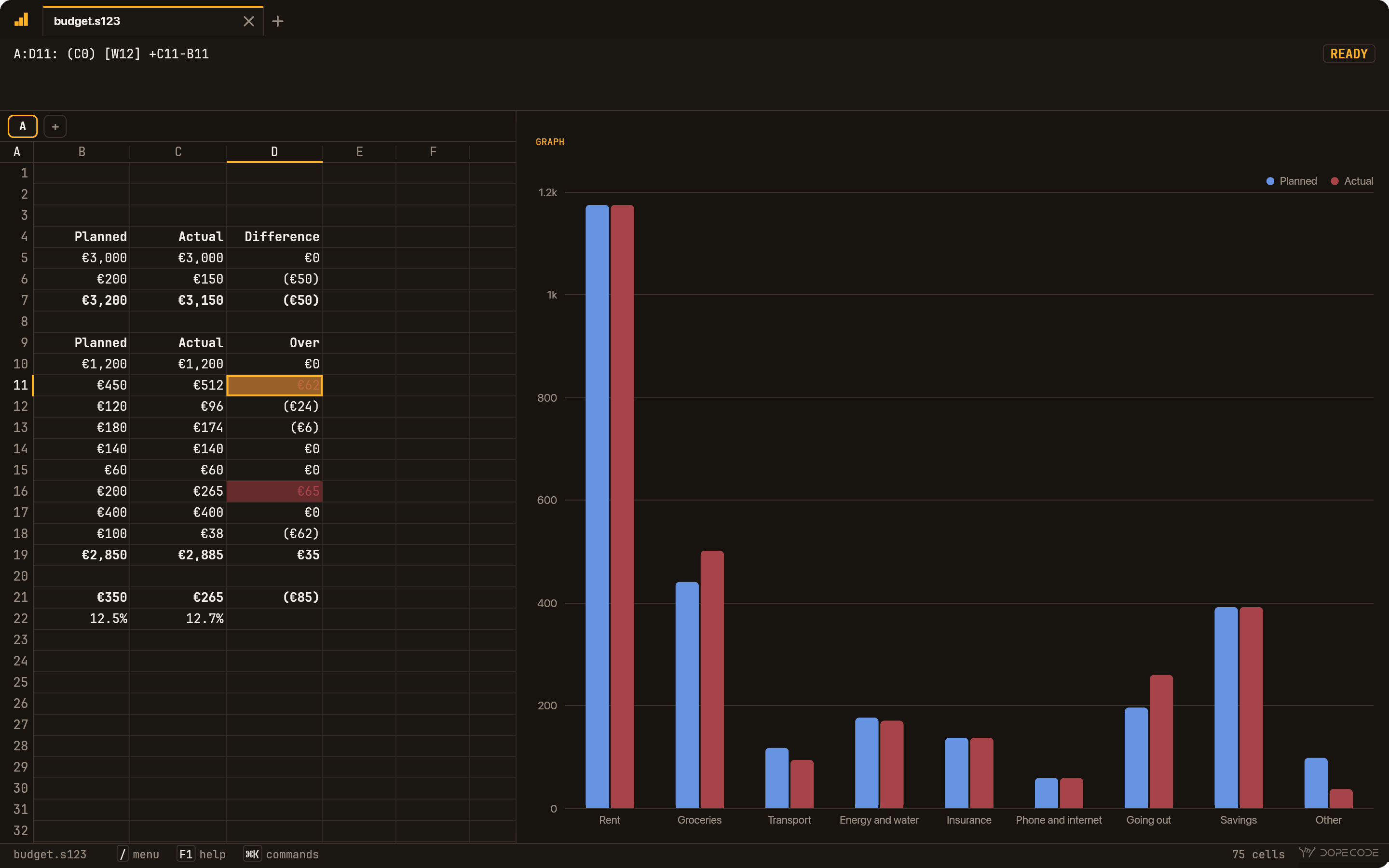
Line, bar, XY, stacked bar, pie and area. F10 draws it over the sheet until any key; /Worksheet Window Graph keeps it beside the sheet, drawn again as the numbers change.
/DPPivot tables and filters
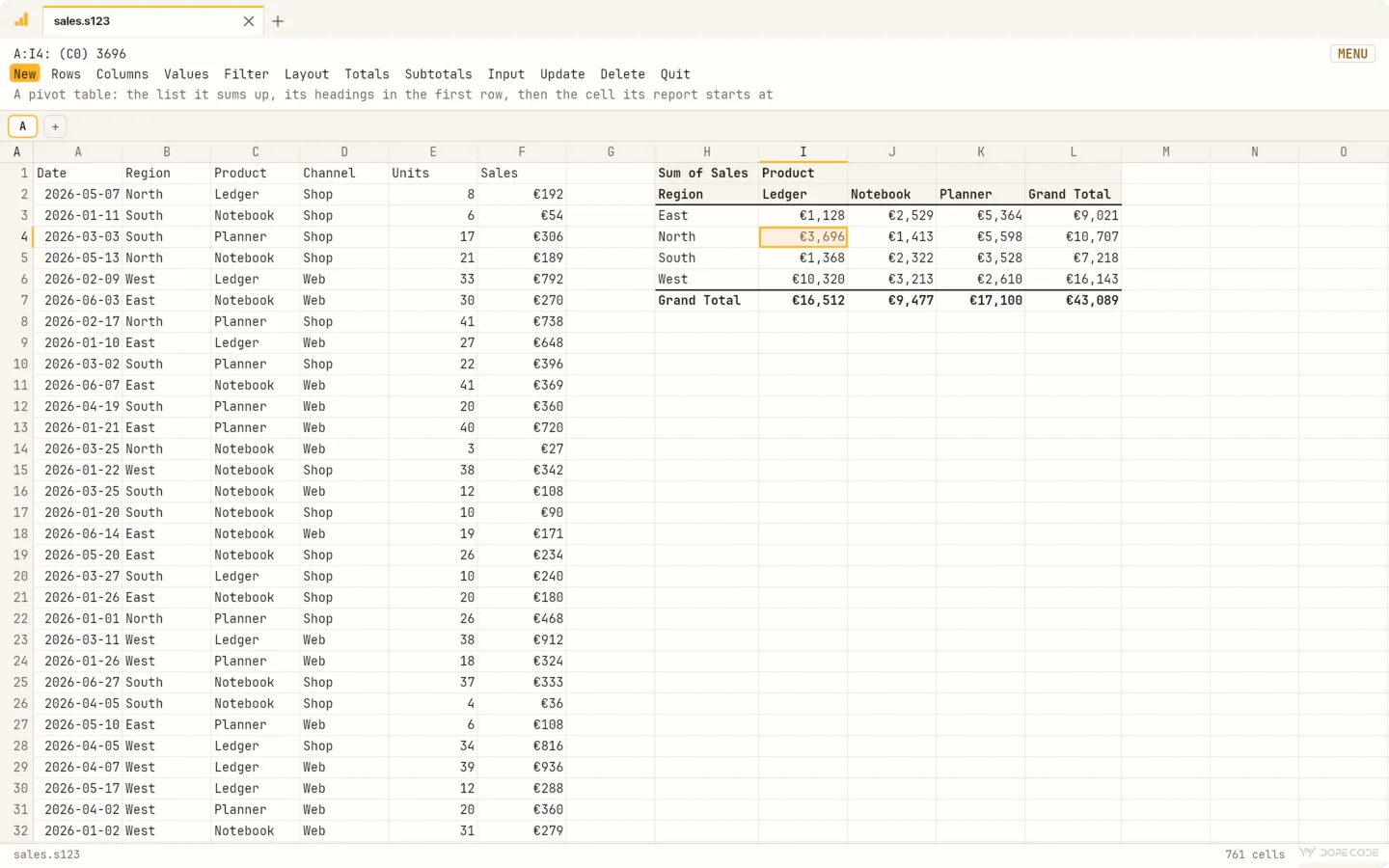
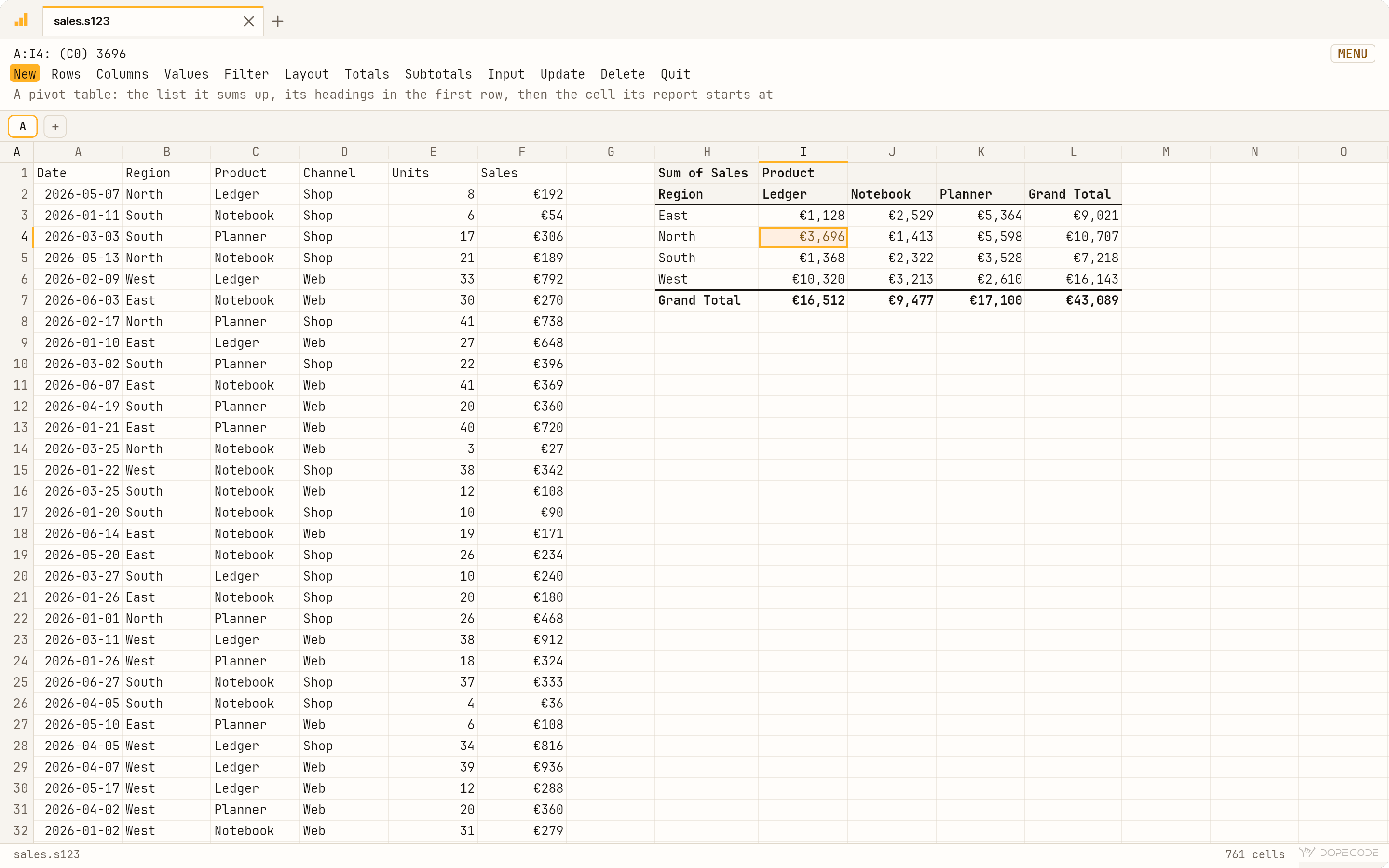
/Data Pivot sums a list up by rows, columns, values and filters, as Excel's
PivotTables do, and an .xlsx keeps its own. /Data Autofilter puts a
▾ on each heading: values to tick, or a condition.
'What you typed is what you got
A digit or + - . ( @ # $ = starts a value, anything else is a
label, exactly as typed. No dates out of SEPT2, no numbers out of
007, and a label in arithmetic is an error, never a silent 0.
F9Fast, and big
Only the cells in sight are drawn, and a change recalculates only the formulas it reaches, in natural order. A million rows, 16,384 columns, and undo without a limit.
LuaFunctions of your own
Your init.lua gives every file @VAT(B2). A file
carries the @-functions its formulas use, so it computes the same on a Mac that
has never seen yours, and runs them in a sandbox: a file from someone else
carries code.
.s123A file you can read
Plain text, a line per cell, as you typed it: it reads in any editor and
compares line by line in git. .xlsx, .csv and
.tsv open and save too.
/WWDThe displays
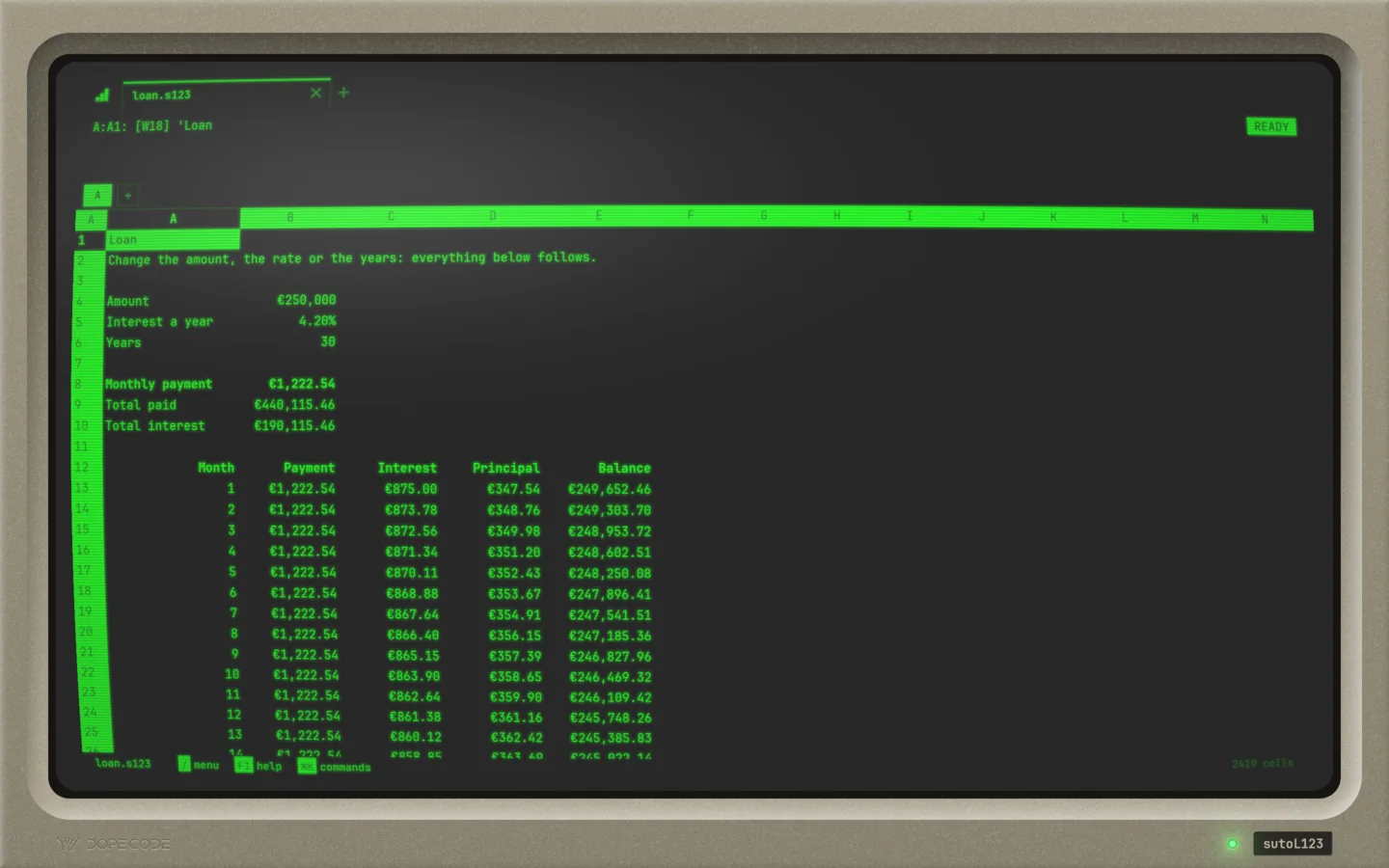
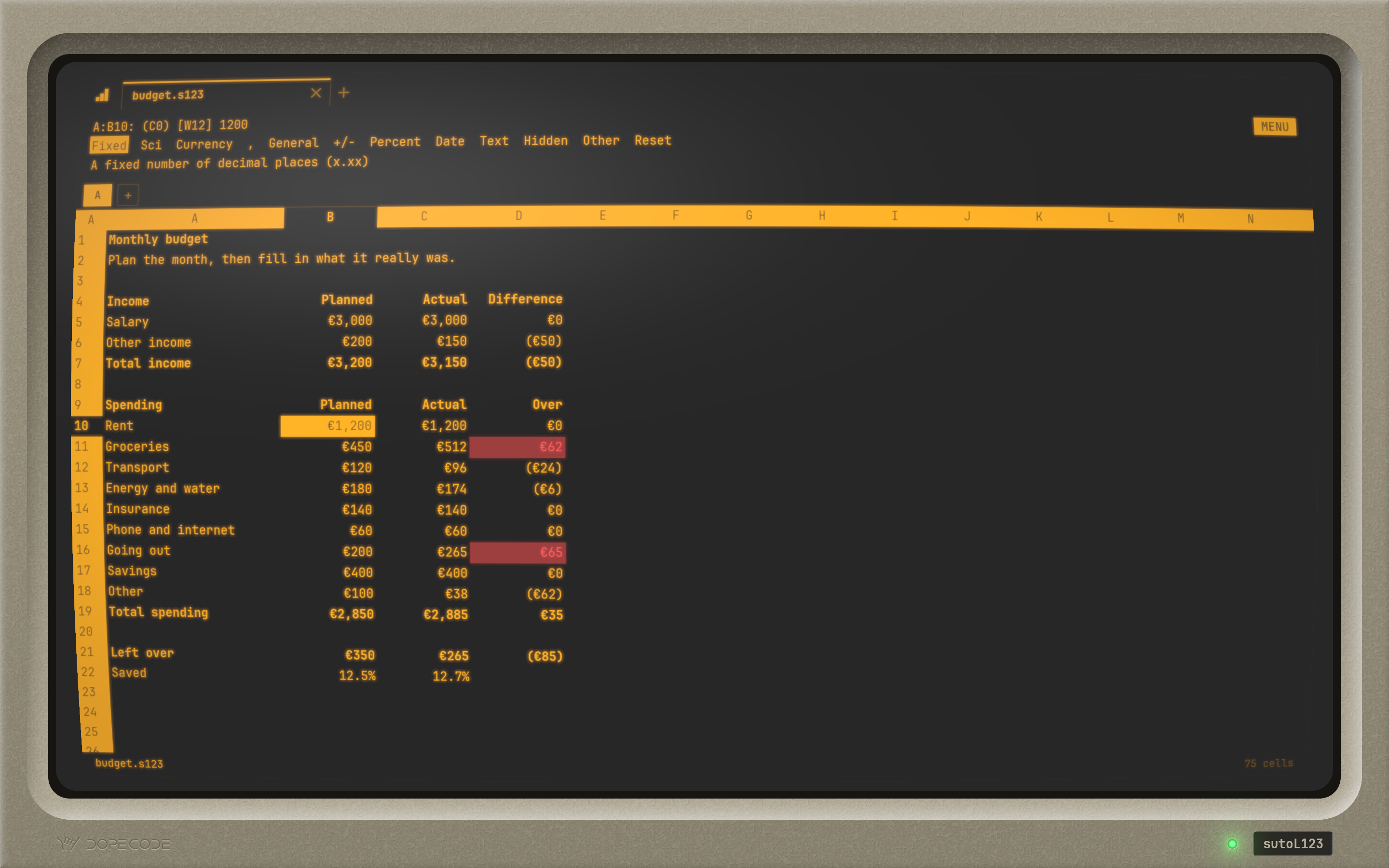
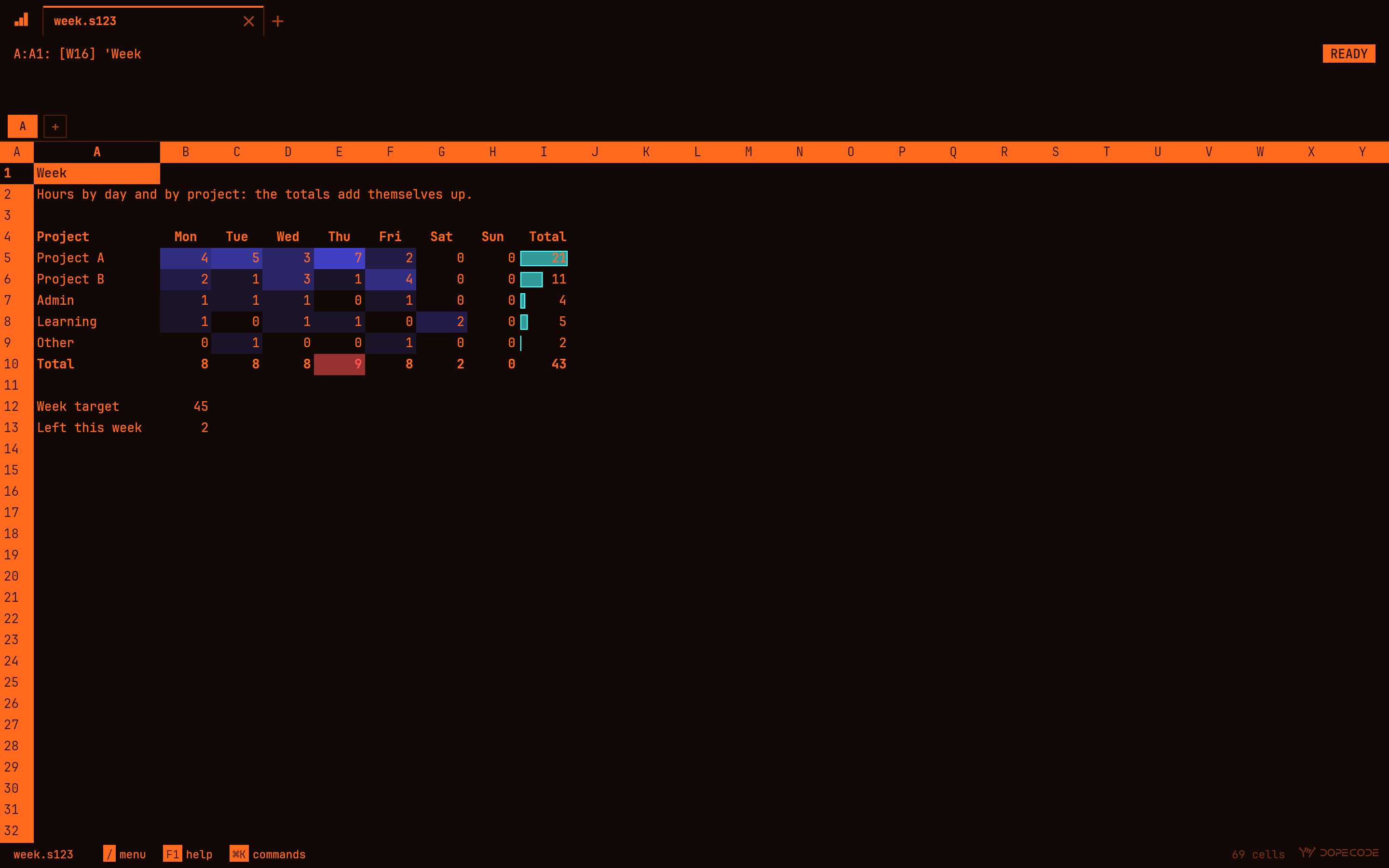
The house's own, Nord, Solarized and high contrast, light and dark, and the classic screens: green, amber or paper-white phosphor, or a laptop's orange plasma, behind flat glass or the curved glass of an old monitor.
The function keys
The template that lay above the F-keys, as sutoL123 has it: the key alone in bold, with Alt and Shift above it.
No F-keys to hand? / opens the menu and every
command is in it, and ⌘K finds any of them by name. If your Mac's F-keys set
the brightness and the volume, hold fn, or turn on "Use F1, F2, etc. keys as
standard function keys" in System Settings ▸ Keyboard.
Keys of your own. ~/.config/sutol123/keys.toml
gives any chord the keys it types, a line each, in the notation macros are written
in: Ctrl-N = "{NEXTSHEET}", F12 = "/rfc2~~". Every key it
does not name stays the classic one, for whoever knows them.
See it
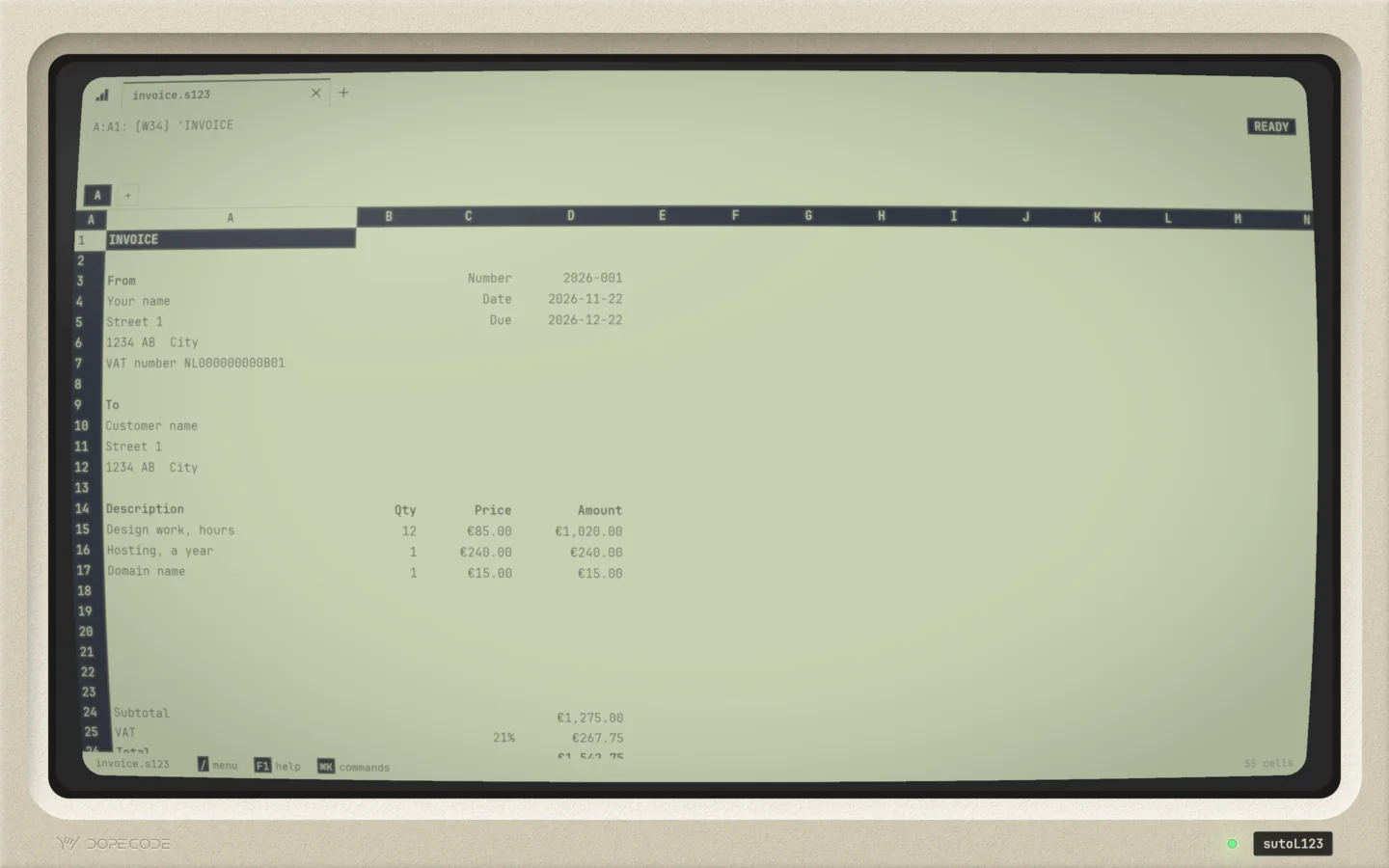
In a terminal, too
The classic spreadsheet lived in a text screen, and so can this one.
sutol123 budget.s123 in a terminal is the same session in characters:
the control panel's three lines on top, the frame in reverse video, every key, menu,
macro and @-function of the window. Ctrl takes ⌘'s place.
A:A1: [W24] 'Monthly budget                                                                MENU
Format  Label  Erase  Name  Justify  Prot  Unprot  Comment  Value  Trans  Search
Fixed  Sci  Currency  ,  General  +/-  Percent  Date  Text  Hidden  Other  Reset
A               A                  B            C            D          E         F
  1 Monthly budget
  2 Plan the month, then fill in what it really was.
  3
  4 Income                         Planned       Actual   Difference
  5 Salary                          €3,000       €3,000           €0
  6 Other income                      €200         €150        (€50)
  7 Total income                    €3,200       €3,150        (€50)
  8
  9 Spending                       Planned       Actual         Over
 10 Rent                            €1,200       €1,200           €0
 11 Groceries                         €450         €512          €62
 12 Transport                         €120          €96        (€24)
 13 Energy and water                  €180         €174         (€6)
 14 Insurance                         €140         €140           €0
 15 Phone and internet                 €60          €60           €0
 16 Going out                         €200         €265          €65
 17 Savings                           €400         €400           €0
 18 Other                             €100          €38        (€62)
 19 Total spending                  €2,850       €2,885          €35
 20
 21 Left over                         €350         €265        (€85)
 22 Saved                            12.5%        12.7%
 23
budget.s123
And a command, for scripts and agents. Every
operation says how it is called and gives an example that works, answers in JSON
when asked, and takes --check: it runs a change whole, in memory, and
says what it would save.
$ sutol123 eval '@PMT(200000,0.04/12,360)'
954.8305909309076
$ sutol123 get budget.s123 D21
A:D21	-85	+C21-B21	(€85)
$ sutol123 set budget.s123 C11 600 --check
A:C11	600
would save budget.s123 (a check: nothing was written)
$ sutol123 menu budget.s123 'Range Format Currency' 2 B5..D21
$ sutol123 convert budget.s123 budget.xlsx
sutol123 mcp serves the same
operations to any agent that speaks MCP, and a Lua script reaches them too. A script
is one change: one undo, and put back whole if it fails.
Radically private
sutoL123 collects nothing. No analytics, no crash reports, no telemetry, no third-party SDKs: the app makes no network requests of its own, ever. There is nothing to opt out of, because there is nothing to opt into.
It runs entirely on your Mac and never needs an internet connection: a
budget on a plane works as it does at your desk. Your files are plain files that
belong to you, and a .s123 is text you can read without the app.
A spreadsheet from someone else can carry @-functions written in Lua. They run in a sandbox with no files, a memory ceiling and a step budget, so a workbook cannot reach your disk.
Everything above is about the app. This website is a handful of static files: no cookies, no analytics, no trackers, no third-party requests of any kind, though the web server does keep ordinary access logs, as every web server does. The formal statement covering DopeCode and this site is our privacy policy.
Media kit
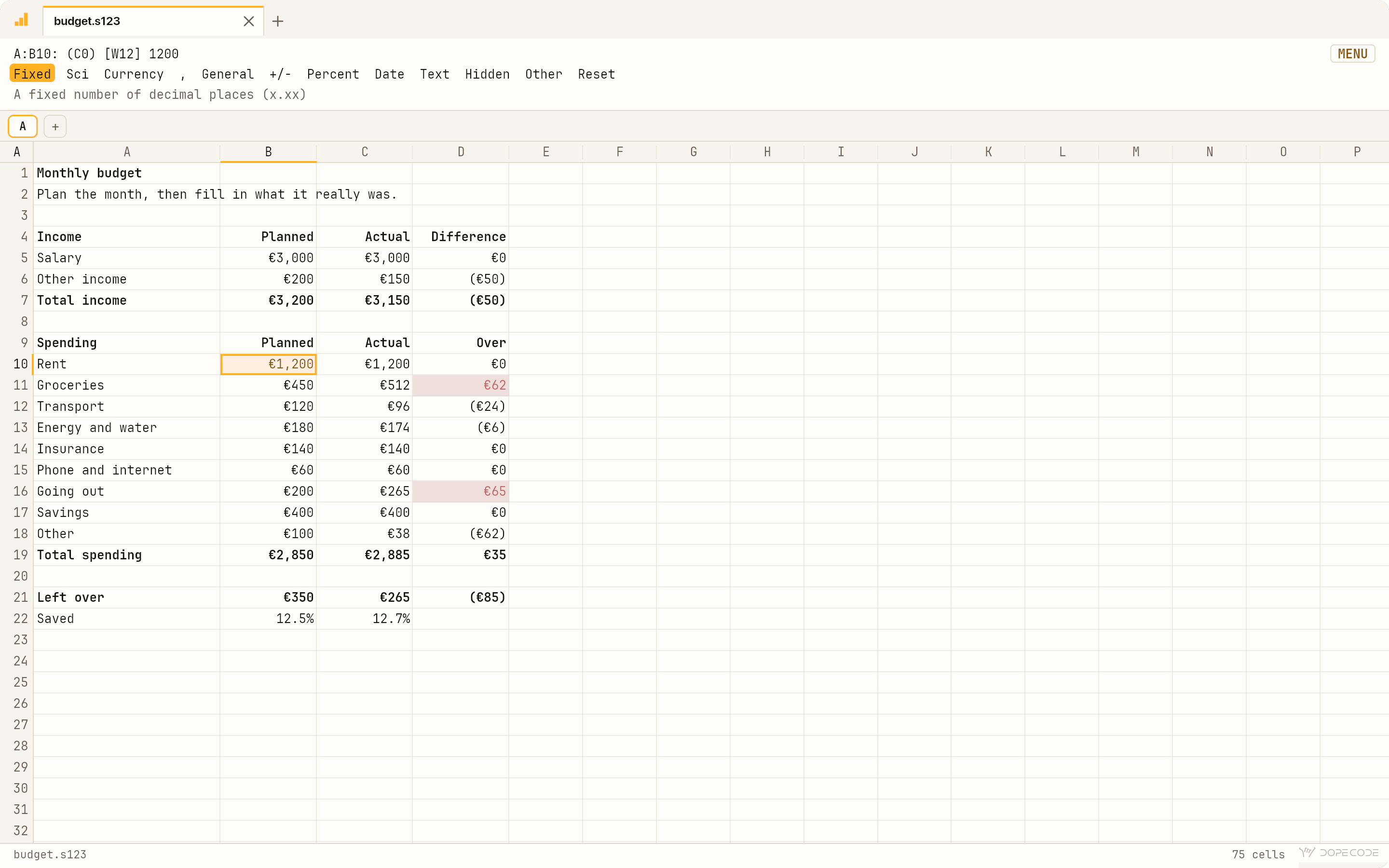
Screenshots at 2880×1800, the window drawn at twice its size by the app itself, nothing composited: amber screen · graph window · slash menu · pivot table · plasma screen
App icon (1024×1024): PNG · the hero's loop: MP4

| Name | sutoL123 (a small s and a capital L, also at the start of a sentence) |
|---|---|
| The original | Lotus 1-2-3 for DOS, first released in January 1983: the spreadsheet that put the IBM PC on business desks. sutoL123 follows Releases 2 and 3, the versions most people remember |
| What | A keyboard spreadsheet in the line of the DOS classics, rebuilt from scratch as a native Mac app, no emulation, with Excel's formulas and .xlsx in and out |
| Platform | macOS 15 or later, Apple silicon |
| Price | PRICE_USD (US pricing; local currency varies) |
| Formats | .s123 (plain text, a line per cell as typed), .xlsx, .csv, .tsv |
| Privacy | Zero data collection: no analytics, no telemetry, no third-party SDKs, no accounts. Runs entirely on-device; no internet connection required. Privacy policy |
| Availability | On the Mac App Store |
| Contact | hello@dopecode.com |
F1 — Help
- What does it cost?
- PRICE_USD in the US store, and the equivalent in your own currency everywhere else. It needs macOS 15 or later on a Mac with Apple silicon.
- Where do I buy it?
- On the Mac App Store. Questions before you buy go to hello@dopecode.com.
- I never used the original. Is this for me?
- If you work with numbers and would rather keep your hands on the keyboard, yes. You don't have to learn the menu first: ⌘K finds any command by name, F1 lists every key, and the control panel's third line says what a menu word does before you choose it. A tour of ten steps comes with the app.
- Will it open my Excel files?
- Yes. An
.xlsxopens with its formulas, number formats, Excel's tables and its pivot tables, and saves back to.xlsx. Excel's formulas keep Excel's meaning after=, from a library of 500 functions. What it cannot keep, such as a pivot table over a query or a slicer, it names before it saves over the Excel file. - My Mac's F-keys set the brightness and the volume. Does that break it?
- No. Hold fn, or turn on "Use F1, F2, etc. keys as standard function keys" in
System Settings ▸ Keyboard. Or don't:
/opens the menu and every command is in it, ⌘K finds any of them, andkeys.tomlcan give a command any chord you like. - Is it an emulator?
- No. sutoL123 is a native Mac app, written from scratch, that behaves as the classic did: the keys, the menus, the prompts, the macros. It starts at once and runs at today's speed.
- Does it phone home?
- Never. The app makes no network requests at all: no accounts, no analytics, no crash reporting. Turn on airplane mode and nothing changes.
- Is this affiliated with Lotus?
- No. sutoL123 is an independent tribute, built from scratch. See the notice in the footer.
/Quit
Your desk in 1985 is one download away: the control panel, the slash menu, and the numbers going wherever you point.
for Mac · macOS 15+ · Apple silicon
PRICE_USD on the Mac App Store·no accounts